Windows 10/11 Compatible

Run Any App.
Undetected.

AppCage runs lockdown browsers in an invisible container. The app thinks it's on a normal desktop, while you stay in full control.

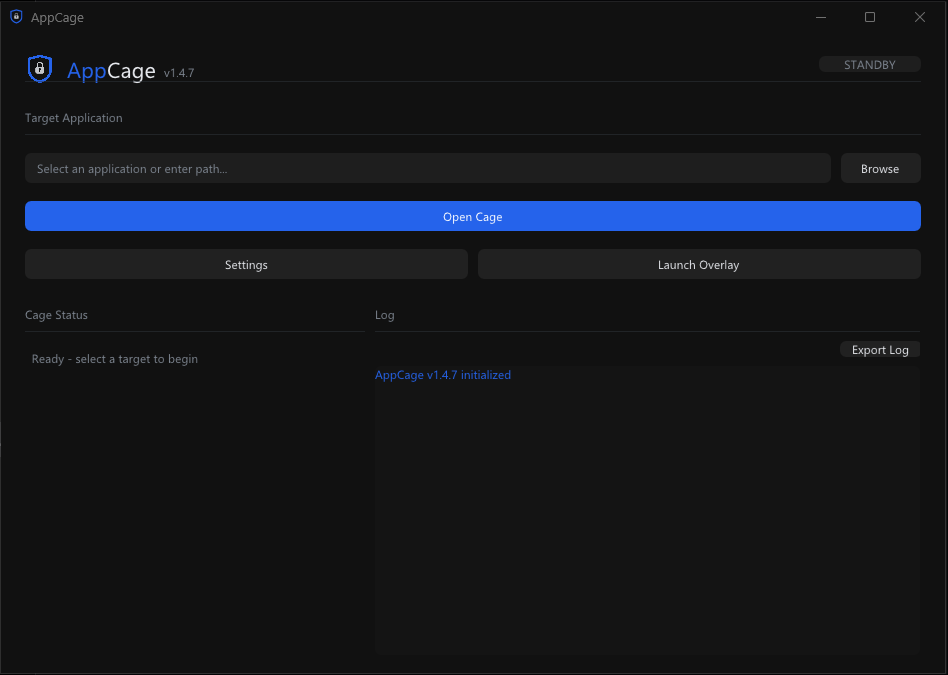
AppCage application interface

Everything They Check.
We Handle It.

Lockdown browsers run every test in the book. AppCage passes all of them, automatically.

Completely Invisible

The cage is undetectable. The lockdown browser sees a normal Windows desktop with real hardware. Nothing out of place.

Fullscreen Mode

Go borderless fullscreen with a hotkey. The cage fills your entire screen -just like a native app. Escape anytime without being noticed.

Camera & Mic Support

Your webcam and microphone work inside the cage. Device names match your real hardware so proctoring checks pass cleanly.

One-Click Setup

Select your app, click launch. AppCage handles everything automatically. No configuration, no technical knowledge required.

Stealth Escape

Press a hotkey to silently leave the cage and access your real desktop. Return instantly -the caged app never notices you left.

Unique Every Install

Each installation generates a completely unique fingerprint. No two copies of AppCage look the same to any detection system.
Three Steps. Zero Traces.

From launch to undetected in under 30 seconds.

1

Launch AppCage

Open AppCage and browse to your exam application. One click is all it takes.

2

Cage Activates

AppCage creates an invisible container and makes everything look like a normal desktop automatically.

3

Take Your Exam

Your exam app runs without restrictions. Use fullscreen mode for immersion and stealth escape whenever you need your desktop.

Tested & Working

Verified against the most aggressive lockdown browsers on the market.

Respondus LockDown

Fully supported

PearsonVUE OnVUE

Fully supported

PeopleCert ExamShield

Fully supported

Safe Exam Browser

Fully supported

And many more. Join our Discord to see the full compatibility list.

Simple Pricing

One plan. Full access. No restrictions.

AppCage License

$30 /mo

Cancel anytime

  • Full proctor bypass
  • Camera, mic & audio support
  • Fullscreen mode & stealth escape
  • Free AI overlay (bring your own API key)
  • Discord community & support
Get AppCage

FAQ

What operating systems are supported?

AppCage runs on Windows 10 and Windows 11 (x64). A Pro or Enterprise edition is recommended for full functionality.

Can the lockdown browser detect AppCage?

AppCage intercepts every check that lockdown browsers perform -hardware, display, processes, session type, and more. Each installation is completely unique, making pattern-based detection ineffective.

Does my camera and microphone work inside the cage?

Yes. Your webcam and microphone work normally inside the cage. The lockdown browser sees your real device names, so all proctoring checks pass.

Can I use multiple monitors?

The cage uses a single display. Use fullscreen mode to fill your screen, and stealth escape to silently access your real desktop whenever you need it.

How does licensing work?

Licenses are bound to your machine via hardware ID. After purchase, redeem your key in our Discord server to activate. Each license is for one machine at a time. You can deactivate and move to a new machine anytime.